

A word of warning before you install Xcode 27 beta on your Mac:
You can’t currently restore a macOS 27 IPSW into a VM on a Mac running macOS 26. The failure is in Apple’s Virtualization framework path, so anything using that restore flow can hit it: tart, UTM, your own VZMacOSInstaller code, all of it. Apple has confirmed a VZMacOSInstaller incompatibility between macOS 26.6 (macOS 26.5.1 for me) and the macOS 27 IPSW, and there’s no fix yet.

The issue: It's not your network or the IPSW!
I am a fan of tart — if you’ve read any of my earlier posts, tart is a great tool to get a macOS VM up and running.
tart create --from-ipsw=latest my-new-mac-vmruns normally, then dies at 77–78% with the unhelpful:Error: An error occurred during installation. Installation failed.
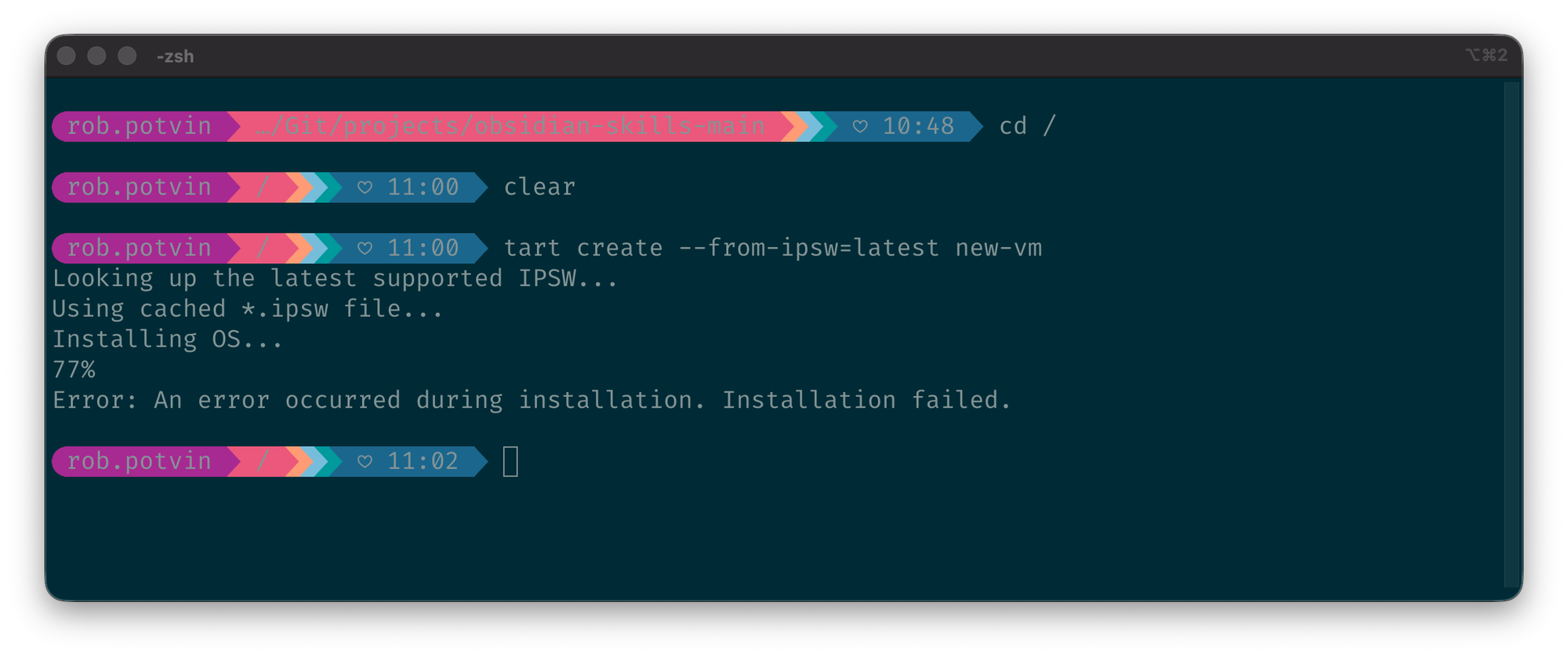
- Try UTM or any other software that uses the Virtualization framework and it will fail the same way.
What's actually failing
The failing process is Apple's com.apple.Virtualization.Installation XPC service — not tart, not UTM. From the unified log:
com.apple.Virtualization.Installation: renaming .../bootability-bundle-XXXX/Restore/Bootability/BootabilityBrain.framework
com.apple.Virtualization.Installation: rename() failed: 1
com.apple.Virtualization.Installation: <Restore Device ...>: Restore failed (result = 11)
com.apple.Virtualization.Installation: AMRestorePerformRestoreModeRestoreWithError failed with error: 11- Everything before this succeeds: TSS signing returns 200, all boot objects are sent, disk images written. It dies on the bootability bundle staging step.
- The cause: Apple has confirmed a
VZMacOSInstallerAPI incompatibility between macOS 26.5.1/26.6 and the macOS 27 IPSW — see the Apple Systems Engineer's answer on the developer forums. (The UTM thread initially suspected Xcode 27 beta's system components, but Apple's answer points at the framework itself — so no, uninstalling Xcode won't save you.) - See also UTM issue #7746 — identical failure, reported to Apple. Known bug, awaiting a fix.
It's broken — now what?
You can't create a VM from the macOS 27 IPSW on a macOS 26 host until Apple ships a fix.
So the game becomes: get a prebuilt VM image that never touches the broken install path, then upgrade it from inside the guest.
Requirements for that to work:
- The image must have a recovery partition
- The image must have enough free disk to take an OS update
VirtualBuddy 2.2 beta 2 introduces a new installation mechanism that works around these issues, making it possible to reliably deploy macOS 27 guests on a macOS 26 system. For a detailed explanation of the change and a download of the latest build, check out the official release notes.
Can I use tart OCI images?
Short answer: not for this workflow.
tart clone ghcr.io/cirruslabs/macos-* works, and the images boot. The problem is the upgrade path: the hosted vanilla image does not have enough free space, while variants like base and xcode do not include the recovery partition needed for the in-guest upgrade. So they’re a dead end if your goal is getting onto the macOS 27 beta.
- If I’m wrong here, please let me know. I want to use tart, but I haven’t had success so far.
Remember, the point of tart's hosted images is ephemeral use: ▶️ start, ⏹️ stop, 🗑️ delete, and 🔁 start again.
Workaround 1: Orka Desktop
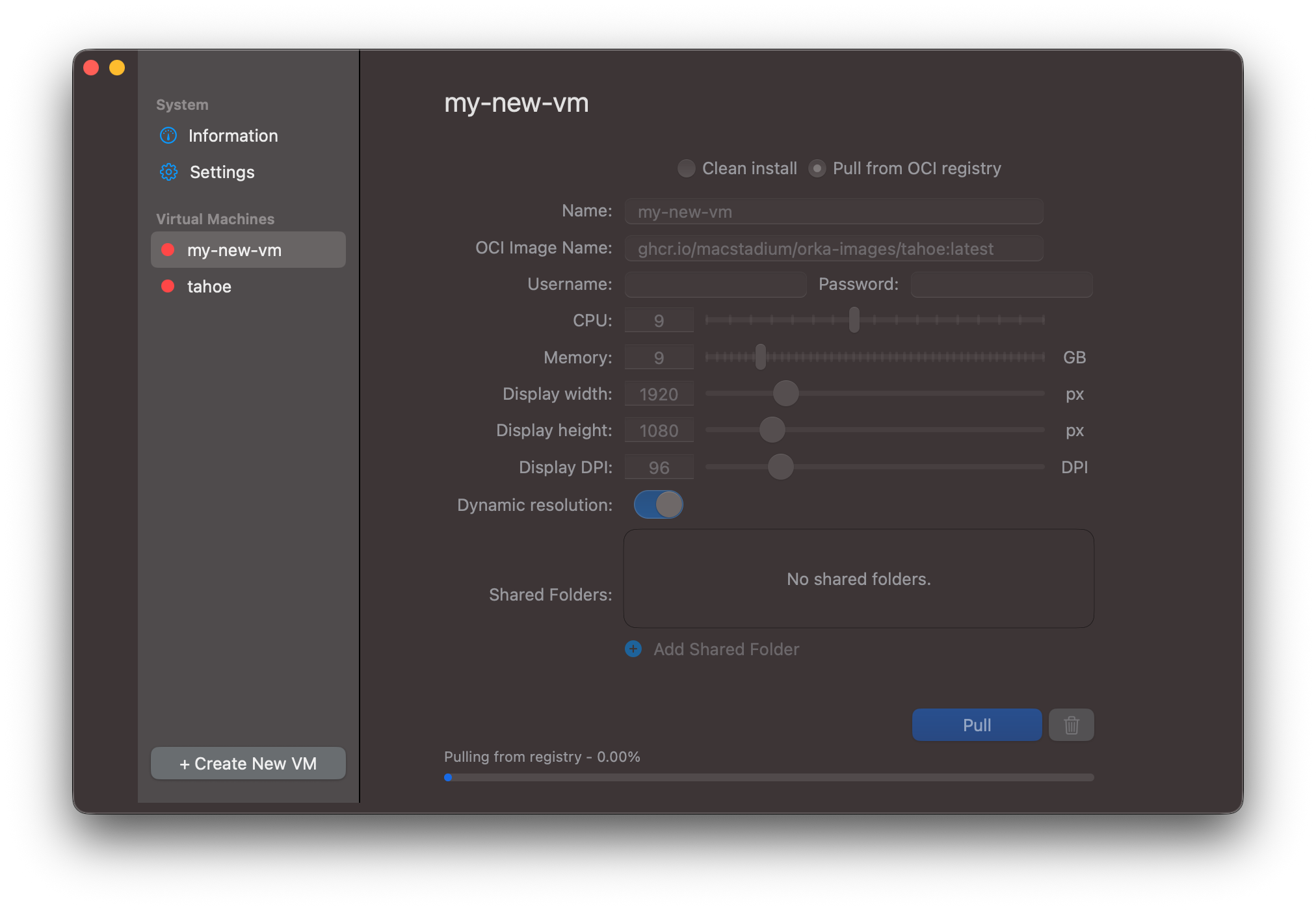
Steps:
- Install Orka Desktop
- Pull the image
ghcr.io/macstadium/orka-images/tahoe:latest - Boot the VM, sign in with an Apple Account in the guest (developer-registered — the free registration is enough)
- Enrol the guest in the beta and run Software Update to macOS 27 beta
Result: a macOS 27 beta VM on a macOS 26 host, no IPSW install required.
- Pull a macOS image from their OCI repo; their hosted images include a recovery partition and headroom to upgrade.
Workaround 2: InstallAssistant.pkg — no Apple Account needed
If you don't want to sign in to an Apple Account inside the guest at all, there's another route (credit to this comment on the UTM issue): install the macOS 27 beta from Apple's full installer package inside a macOS 26 VM.
Three gotchas before you start:
- Disk size: set it at creation. The VM needs at least 100 GB. The
ghcr.io/macstadium/orka-images/tahoe:latestimage is 100 GB when unpacked, so that is one option. - Internet: both the host and guest need internet access throughout; the installer verifies the update online. Don’t bother disabling SIP: reduced security reportedly blocks the beta install anyway.
- Package size: the pkg is about 17 GB. You can download it inside the VM, or download it once on the host and pass it into the guest via a shared folder, which is handy if you’re building more than one VM.
Steps:
- Create a fresh macOS 26 VM (100 GB+ disk, RAM at roughly half your host's)
- Get Apple's installer package — no login required:
InstallAssistant.pkg (macOS 27.0 beta, 26A5353q)
(URL taken from the macOS 27 seed catalog — Apple may change it for later betas) - Install the pkg in the guest, then run
/Applications/Install macOS 27 Beta.appagainst the VM's boot disk - Let it restart (more than once) — and you land on macOS 27.0 Golden Gate
Wrap-up
If you're on a macOS 26 host and want a macOS 27 beta VM, you'll have to jump through a hoop or two until Apple fixes the IPSW restore path.
The cool thing is the workarounds are free — a bit longer than the IPSW method, but all thanks to MacStadium and Cirrus Labs doing the heavy lifting.
Filed Apple bugs include FB23009809 and FB23007507, filed by others in the GitHub issue thread.
Keep an eye on the UTM issue and the Apple forums thread for the fix. I’ll post a follow-up with a working tart workflow once it lands.